How to Get Started & Maximize Results with NadyAI Stylist
Your AI Stylist is ready — but to unlock real impact on revenue and engagement, make sure these key steps are properly completed and optimized. Here’s how to get started the right way:

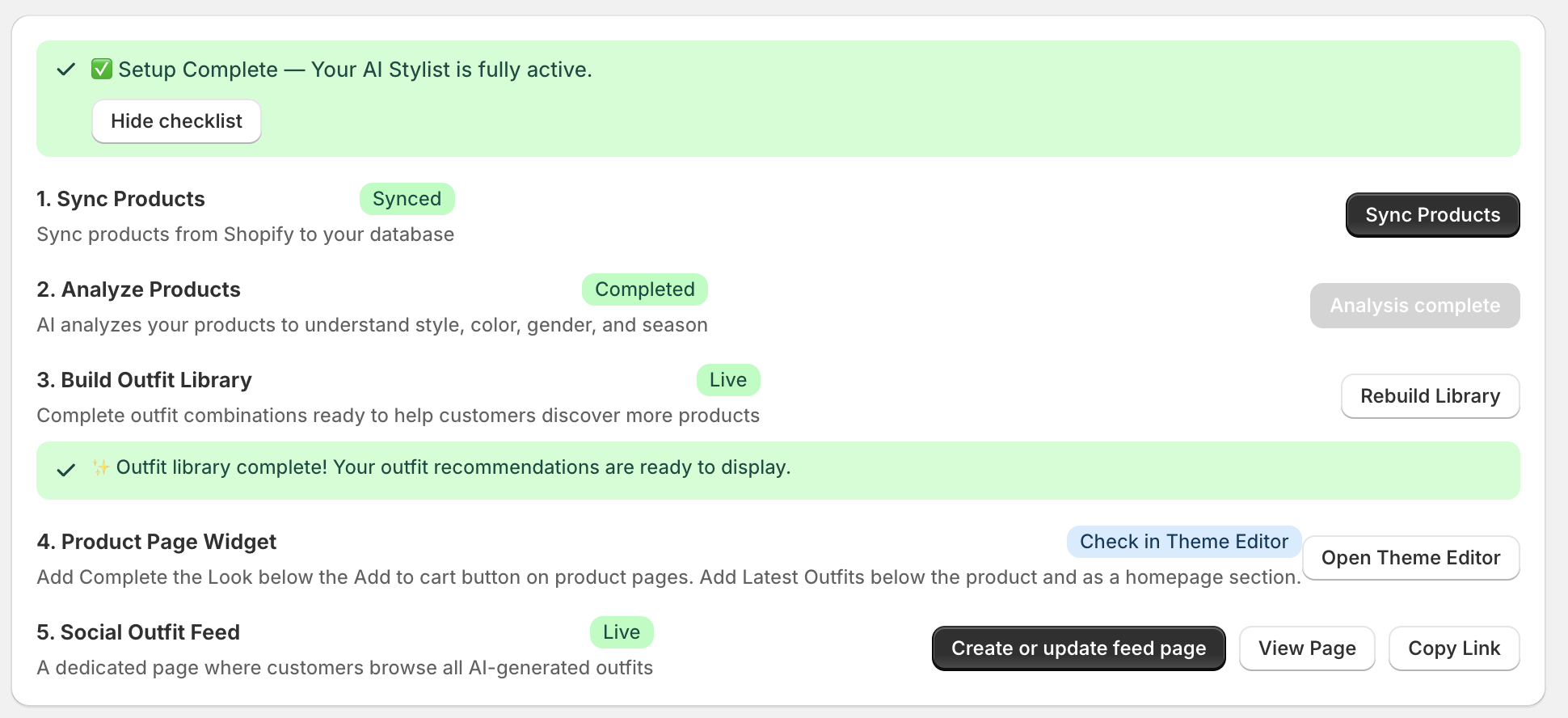
1️⃣ Sync Your Products
Start by syncing your Shopify catalog.
This allows NadyAI to access your full product data, including images, titles, categories, and variants.
For best results:
• Ensure product images are clear and high quality
• Use consistent product types and categories
• Avoid incomplete listings
The better your catalog structure, the smarter your outfit generation will be.
2️⃣ Let AI Analyze Your Products
Once synced, the AI analyzes each product’s:
• Style
• Color
• Gender
• Season
This step is critical — it’s what enables intelligent outfit combinations instead of random pairings.
Tip: If you’ve recently added new products, re-run analysis to keep recommendations fresh.
3️⃣ Build & Activate Your Outfit Library
After analysis, generate your outfit library.
This creates complete, styled looks from your existing inventory — turning individual SKUs into cohesive shopping experiences.
More outfits = more cross-sell opportunities.
4️⃣ Add the Product Page Widget
This is where conversions happen.
Place the “Complete the Look” widget:
• Below the Add to Cart button
• Or near product recommendations
Why? Because shoppers are most likely to add complementary items while already considering a purchase.
.png)
5️⃣ Enable the Social Outfit Feed
Create a dedicated page where customers can browse AI-generated outfits.
This transforms your store from:
A product catalog → into a styling destination.
It increases browsing time, discovery, and average order value.
💡 Pro Tip for Maximum Impact
For best performance:
• Keep your catalog updated
• Rebuild your outfit library after large inventory changes
• Place widgets in high-visibility areas
• Monitor how customers interact with styled looks
When properly activated, NadyAI Stylist doesn’t just recommend products — it increases product discovery, boosts AOV, and enhances the overall shopping experience.
Ready to try this feature?
Install NadyAI Stylist on your Shopify store and start transforming your product pages today.
Install Now